As my eyesight gets older I notice that reading some if not most of the UI text labels etc. ( not source code) its too small for me to make out clearly. i.e
It's basically HiDPI mode, a 4K display with a 1920 x 1080 working area. So, things are easier to read, but I still have the resolution for working with images or Hype projects.
Yet, scaling the interface does seem like a good idea for Hype 5. That could be a lot of work to get right though.
Thanks, I filed a bug about this. In general there are certain paths that reset a lot of properties to work correctly when moving elements around, but I'm surprised this is the case since your group has zoom contents and therefore isn't technically "moving" its position in this case.
Symbols have their own engine, so the lookup determines which symbol the element is in and then returns that engine.
I believe a hidden secret is you could have "null" as the element and it will always get the top-level engine.
From an API design standpoint it seemed like doing it this way managed the tradeoffs a little better, but clearly arguments could be (and were) made for other ways to get the engine.
That works! I added… let engine = hypeDocument.getElementProperty(null, 'physics-engine'); …to v3 the test Hype project and the Physics bodies were bouncing as expected.
Ah, I see the logic now. While I would have preferred a simple… hypeDocument.physicsEngine() …that might be a problem in projects where there are different Physics worlds. So while null works, I'm not sure that I'd want to use it.
I'm adding another idea to the list. It has to do with export scripts. If Tumult Hype is not adding Progressive Web App exporting, then that's not necessarily a problem — if Hype adds the ability to get a list of files / resources.
…well, I did eventually learn how to create Progressive Web Apps from a Hype project. That was a good feeling. I'm surprised it's not a native feature in Hype already. But if Tumult doesn't want the tech support issues, then adding the option to get the resource list while exporting is a nice compromise.
I'm not exactly sure how that would work though, as it's been a while since I've played with JXA. But I'm thinking, somehow the data needs to be retrievable when the script is running, and then a custom manifest.json, service worker, and index.html file could be created.
Well, I stopped using Hype a few years ago because there are now many very good tools such as Rive.app, Framer, and Godot Engine, which are my stable working tools for the web.
I still miss Hype in many ways. I would like to know how it’s doing, but it has gone more than five years without updates… It seems to me that the developers are ignoring it.
Even so, Hype is good for basic HTML5 animations.
I hope they release a new version, but I don’t think it’s worth wasting time debating or dreaming about Hype 5.
As for Framer, I haven't used it. But from what I've read through a few Internet searches, it seems to be a website builder. That's not Hype, which is more like Macromedia Flash / Adobe Animate than Adobe Dreamweaver. I don't compare Hype to apps like Figma, Webflow, or even rive.app. I don't even know what's that last one either, so it's hard to compare.
So, I think that's the difference in tone. A lot of your posts are about other applications. I'm not interested in that. If Tumult says they're working on it, that's good enough. They didn't disappoint with the versions 1.6 and 4.0 updates.
I still consider version 1.6 one of the greatest software updates of all time.
…will Hype 5 beat that?
This post is not wishful thinking. It's not a waste of time. It's to help shape the next update, to help it be amazing. There are a lot of little things that the developers might be missing. And based on what I've seen so far, I'm very glad that I put in the effort to start and continue this conversation.
Also, even though Hype hasn't done a major update in years, I still have a working app. They have been doing minor updates… Tumult Hype Documentation …I'm not considering software alternatives that I have to rent.
A lot of the features missing in Hype I can add by myself, like PWA exporting. The main issue that I see with Hype is with Physics. Progress seemed to have stalled, but then I did some research. The result is pretty big information, which could definitely improve Hype 5.
Wow!
So good!
Earlier in this thread, Tumult didn't seem too keen with the Physics ideas. But after doing the experimentation, I showed how two of the biggest Physics issues with Tumult Hype could be resolved or at least improved. (CCD is still not part of Matter.js, but using a later version of the engine seemed work better.) Theoretically, it's not a lot of work for Tumult either. I don't know if they will implement the recommended changes, but at least now they know about it.
I'm looking forward to the day when Hype 5 launches and I can compare the new features to the ones listed here. So, I consider this prep work for one awesome video on my YouTube (Photics.TV) channel.
…and probably “A Book About Hype 5”.
And one more thing, it's motivation! Hopefully this inspires Tumult to work harder. I'm still here. I still see great potential for this software.
UPDATE
Added “Import SVG” to the animation section and cleaned up the list. Apparently I had export video with audio twice. But since that's such a glaring problem, maybe I should have kept it on the list twice.
I'm revisiting this because I've been learning a lot about CSS units. They're quite powerful…
dvw / dvh — Wow, that's so much easier when working with mobile websites.
ch — Being able to set sizing based on character width is useful
vw / vh — I've been using px (pixels) a lot less.
em / rem — Way better for font size management
Is the concern mainly interface clutter? Couldn't it just be a little dropdown of potential options… or how about just letting people type the value? This is just part of modern web design.
Anyway, adding “ch” to the list.
UPDATE — I was thinking about how it would work with animation. If you had an element that was 50vw, and then you wanted to move it, how would that work? Does it still move in pixels? That doesn't seem like a good idea. Then I thought about how the app should work to accommodate for that and it seemed like a massive amount of work to straighten out.
Then I thought… well… what about just for fonts?
Would that improve things?
So, while this seems unlikely, I'm still leaving it on the list. It might help with brainstorming.
Yeah, the real problem is that of usability and "reason-ability." The different units are quite cool, and I'm open to some/all as long as it is clear what is going on. It isn't immediately intuitive what that would look like, or even if it could be done, though!
I updated the list to be more clear. “Specify Element Type” is now the first item in its section.
There really should be a no-code solution for doing basic development stuff. The ability to read/write variables and then control events according seems like basic stuff.





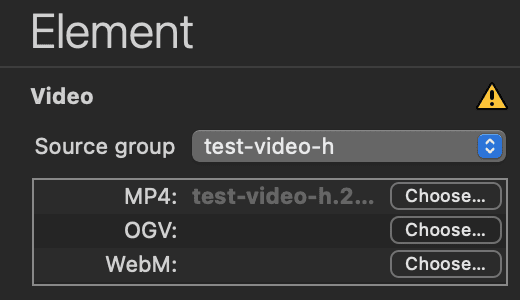
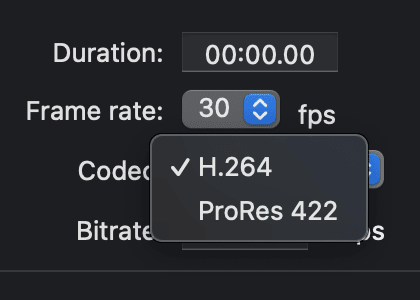


 “What do we want?”
 “Hype 5!”