App Not centered on iPhone 11 on Xcode Simulator

I’ve created an app on Xcode using WKWebView and when I test on the simulator it works perfectly fine on iPhones and iPads, except on iPhone 11. On those devices (Max, Plus) the app is not full size. I have “Cover Notches” selected on my Hype document, and on Xcode it requires Full Screen.

Unfortunately I do now own any iPhone X or 11 to test or a real device, but it makes me nervous that on the simulator it looks off.

Have a look here:

I can’t thank you enough! Yes, that post with the suggested tweaks to the WKWebView solved the problem.

Thanks again!

You're welcome.

Could you please show me how you did this in Xcode. I'm experiencing the same problem, but can't fix it.

I already had the AllowFileAccessFromFileURLs set to true in my WKWebViewController file. This is my code:

wconfiguration.mediaTypesRequiringUserActionForPlayback = []
wconfiguration.setValue(true, forKey: “_allowUniversalAccessFromFileURLs”)

And then I opened the the HYPE-670.full.min.js and replaced file:// with filewhatever:// (I literally called it filewhatever, it just needs to be different than file:)
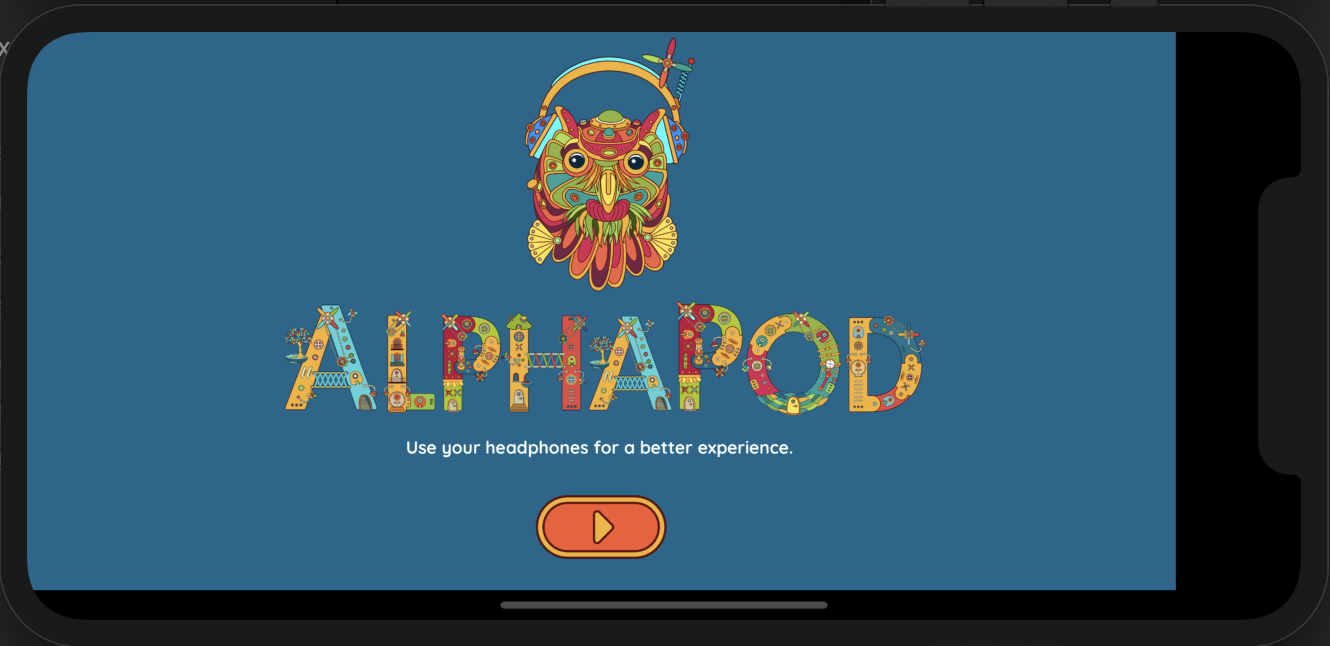

And that fixed it

Thanks for your answer, but it doesn’t work for me.

Xcode 11.5

I’m not a swift guy, but it looks like the problem is last quote is a smart quote. Try pasting:

wconfiguration.setValue(true, forKey: "_allowUniversalAccessFromFileURLs")

It’s in the details my dear Watson!
Thank you.