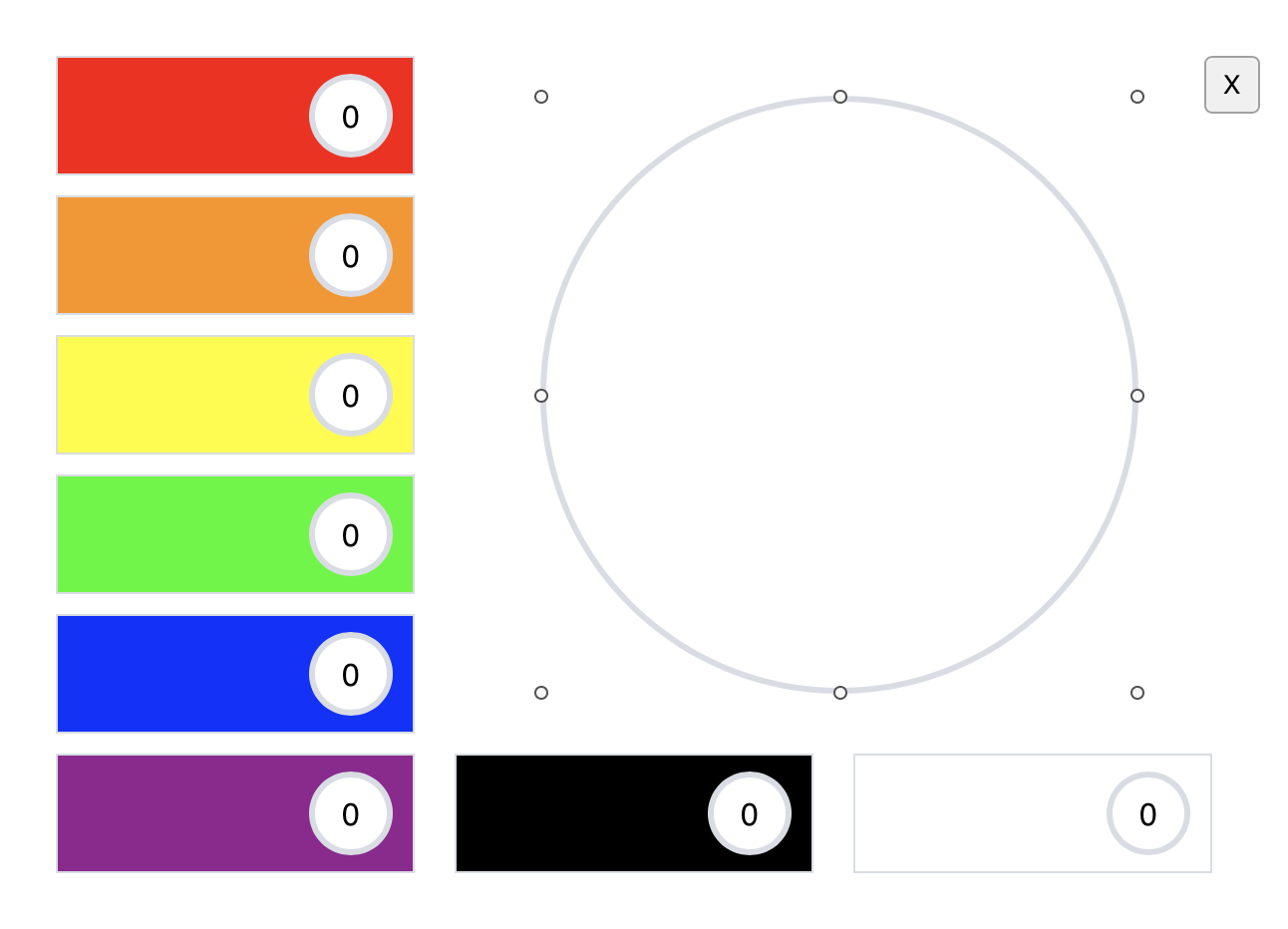
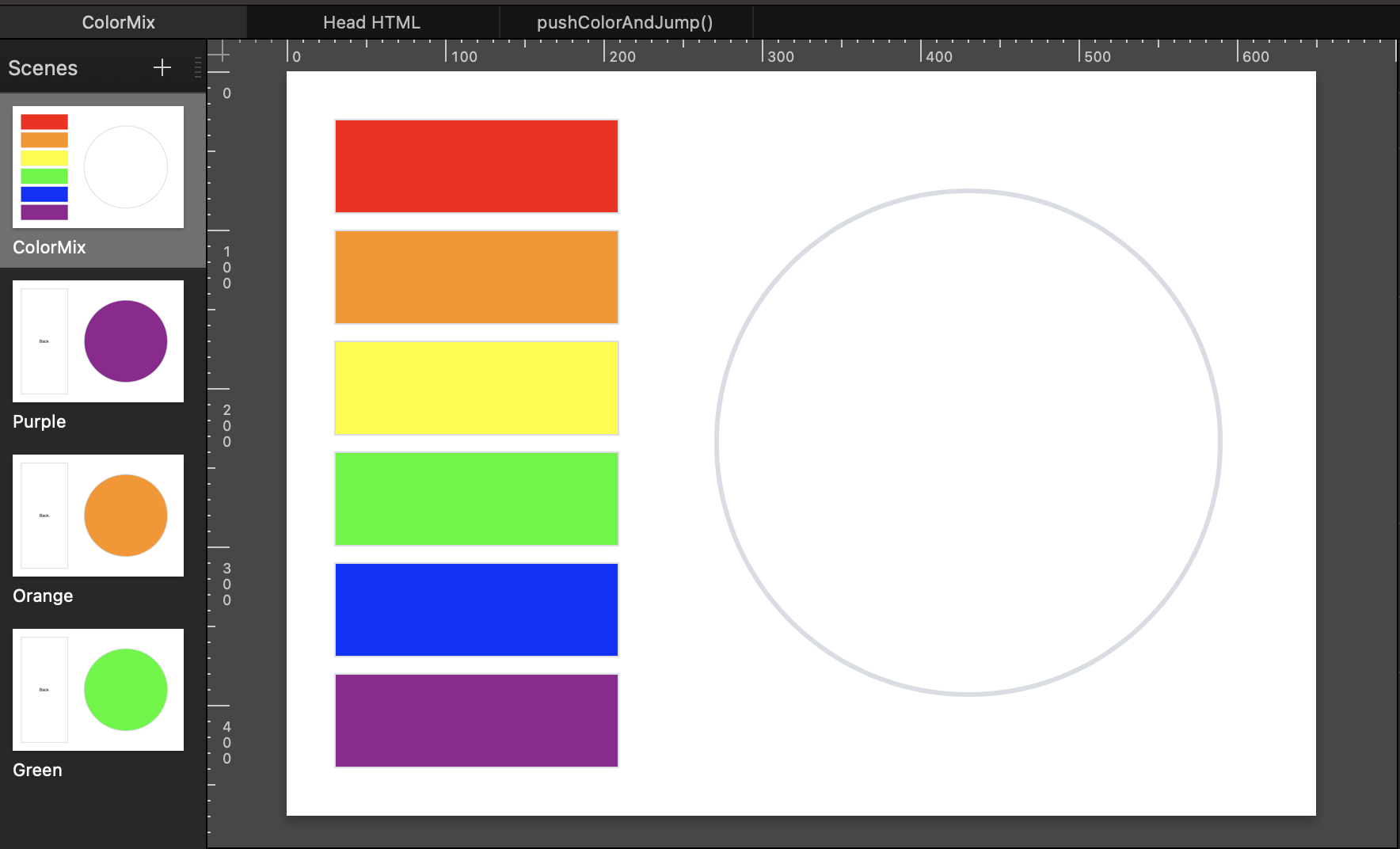
2 choice combo click that jumps to a specific scene

I am making a kids game on tumult hype as a silly extra credit for a class. I’ve drawn all of my own elements in exception for a few reset buttons in my scenes.

The point of the game is mixing paint colors. I have the intro scene with a start button all squared away and works normal. Then, it brings you to the main scene that has a pallet and 6 tubes of paint (red, orange, yellow, green, blue, purple). The idea is that the user can choose 2 of the colors (2 clicks) would then trigger a jump to scene which is specific to the colors that were chosen ( redPaintTube and bluePaintTube, jump to scene purpleBanner). Each tube of paint does have a inner timeline besides the main timeline all in the main scene, all named appropriately (redTimeline, orangeTimeline, etc) and each of the colored timelines have a motion of when the colorPaintTube is clicked a squirt comes out and forms a glob on the pallet; all of the motions for each timeline and paintTube work normal- no issues. All of the color combinations have a specific scene to jump to which I call “bannerScene”, again all named appropriately (purpleBanner, greenBanner, etc), I have been noodling with javascript and had taken a look at some game templates in the tumult forums that helped me sort out a possible script for a “On Scene Load function initializeScene that has the custom data with all the color combinations in it, and then a “handlePaintTubeClick” for each paintTube for “On Mouse Click”. I had the AI assist in the console log read it and it came back saying exactly what I want it to do, however when I preview the hypedoc in chrome, it does not perform the “jump to scene”, it just lets me press all the tubes and watch the squirts and globs appear on the pallet.

I’ve spent a lot of time on this project and would really like some help fixing it so it performs properly. Next term I am taking a web fundamentals/html class because I do really want to learn how to write javascript/html code and all, but until then, i’m stuck with the internet and what my teacher knows- which he doesn’t know how to do this sort of set up.
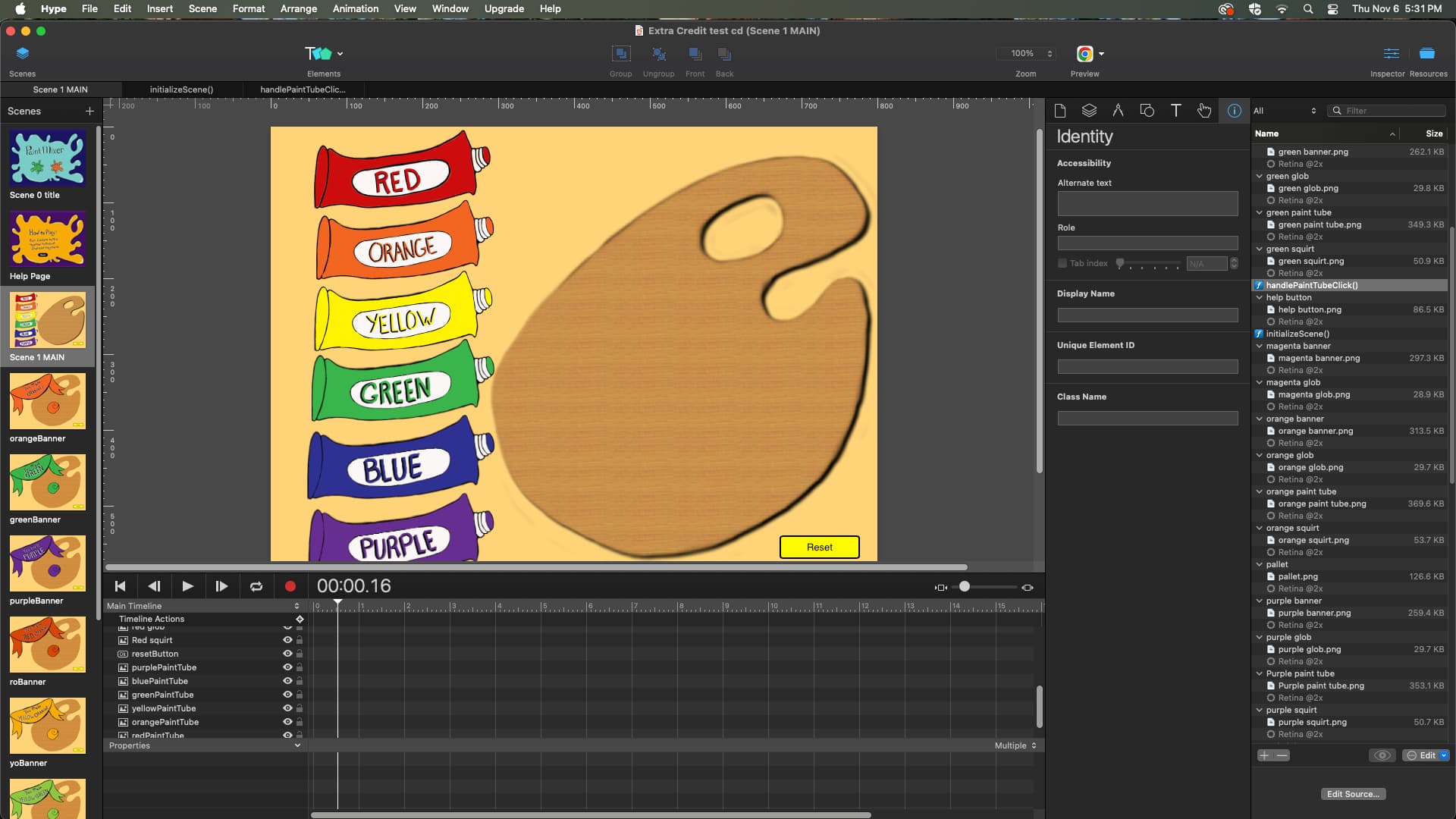
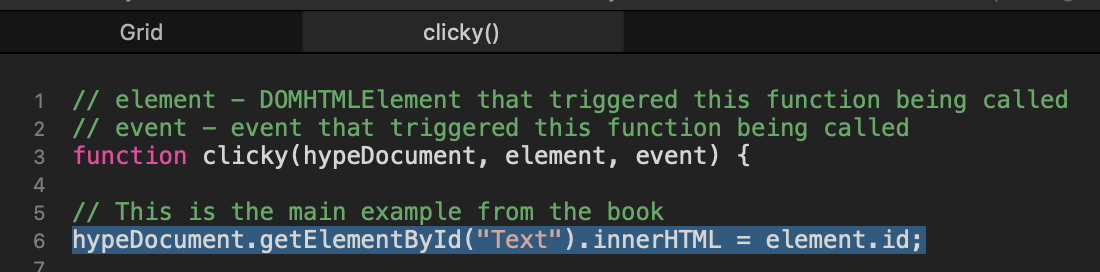
Was it one of my templates?

Because if I'm understanding this correctly, it seems that you have a scene created for every possible outcome? Is that right?

It sounds like the “Clicky” template is the first part of the solution…

https://photics.com/free-template-tuesday-24-tumult-hype-clicky/

If you click an element… in this scenario, one of the colors …you get the name of the color. So, in the Photics template, it's simply just changing the text shown in a different element…

hypeDocument.getElementById("Text").innerHTML = element.id;

This is just how Hype works…

When an element is clicked, it's set to run JavaScript.

"element" is the element that was clicked in Hype.
"id" is the name of the element that was clicked in Hype.

So, I'd probably change the scene names to make it easier to work with. You have "roBanner" and "greenBanner". That's going to make it harder to use this technique…

hypeDocument.showSceneNamed(sceneName, optionalTransition, optionalDuration)

That's part of Hype's JavaScript API. Basically, when an action occurs… such as clicking a color …a different scene can be shown.

Now, combine the two ideas…

 hypeDocument.showSceneNamed(element.id)

If you give the color elements the same name as the scene names, clicking the element changes the scene to that element name. It's a lazy/easy way to manage multiple scene changes. That's what the “Menu” template shows…

Free Template Tuesday #22 – Tumult Hype “Menu” – Photics.com

The challenge here is that you want to combine two colors. So, a variable would needed. When an element is clicked, save its name… but check if it a name has been saved already.

This is a little tricky, as there's a proper way to write JavaScript. Where and how you declare your variables matters! So, that's where “hypeDocument.customData” is used. I suppose that's the Hype way to do things. I used to use a lot of “Global Attributes” but that's not encouraged.

Basically, it's a difference between… window.firstColor …or… hypeDocument.customData.firstColor …where "firstColor" is where the name of the first color picked is to be saved.

Anyway…

if (!hypeDocument.customData.firstColor) {
    hypeDocument.customData.firstColor = element.id;
    hypeDocument.getElementById("text").innerText = element.id;
    console.log("The First Color Is… " + element.id);
} else {
    hypeDocument.getElementById("text").innerText = element.id;
    console.log("The colors are… " + hypeDocument.customData.firstColor + " & " + element.id);
}

That first line is a conditional statement. The exclamation point means "not". If not true, and if it's empty it's not true, then run the first part… which is picking the first color.

Else, since there was a color already chosen, set the second color.

The idea is that there would be a scene name… redblue …and then clicking the "red" element, and then the "blue" element would bring you to the "redblue" scene.

Yet, I'm not sure if using multiple scenes is the way to go. Then you'll likely have to worry about persistent symbols, which is a bit of a chore!

Instead, you can tell a different timeline to play. Make them relative and then the colors can fade with animation.

I created a proof of concept… colors.zip (12.1 KB)

It only works if you click red and then click blue.

That's the problem. What happens if you click blue first and then red? Well, you could create another timeline called “bluered” but that's also going to look purple. This should be more dynamic somehow.

So, you could use additional programming to reduce the number of scenes / timelines required, but that's even more tricky for a beginner.

Also, I considered CSS, but you're mixing paint… which is a different color model than light. So, even though CSS color-mix() is now “baseline”… color-mix() - CSS | MDN …that doesn't seem to be the solution.

Anyway, this is just to get the conversation going. :grinning_face_with_smiling_eyes:

I suspect others here are going to want to see your Hype project, so they can see where the code is not working.

2 Likes

Correct, it would be great to get a zip of your current document.

I do suspect using some JavaScript will probably yield the simplest solution.

1 Like

I tried to upload my project but the file size was too big. I will try again on Monday and see if I can get the file size proper

Just put your file on Google Drive or somewhere publicly accessible and only paste a link here if it's too big. I was also playing around a little bit with code... maybe this helps you, but I totally get it if it's overkill. It could even be simplified a little more if one uses the extension Hype Reactive Content (no need for the manual updates). If that direction is something you would like to follow up on, then just respond here to that intent. Otherwise the scene jump is a totally fine approach as well!

ColorMixer.hype.zip (46,9 KB)

1 Like

Here is a much simpler scene-based jump solution. I didn't define all the color jumps, I just made three examples. You would have to add them in the mapping, and then you would have to add the mapped name as a scene.

ColorMixerSimpleJump.hype.zip (76,4 KB)

1 Like

Here is the link to my project in my google drive. Let me know if it works.

1 Like

The simple version should work for you. Have a look. Because the id version suggested previously here doesn’t take the click order into account. Color one and color two could also be clicked as color two and then color one. The simple example above normalizes that scenario. So, it doesn’t matter the order you click and the third parameter is the scene name it jumps to… to transfer it to your file just add the click handler to the element with the call to the single function (from the simple example). You also need to add the data attribute data-color-name. You can see the setup in the example file.

2 Likes

May work for you, without the need of custom scripting: HypeConditionLinker: Perform actions based on AND/OR conditions without JavaScript code

1 Like

Thanks - I understand better how you have it setup and if you are only doing strict combinations of two then it probably makes sense to do scenes like you've done. In this case @MaxZieb's simple example is probably a good route. There's a bit of code but it looks like it handles it all in a way that makes sense.

1 Like

I am so grateful for all of the responses and help! Thank you so much!!

I am trying out the examples that were sent to me, I will update on my results soon.

:smiling_face_with_three_hearts:

@MaxZieb

This is what i’ve done so far using your example, its still not working the way I would like. Could you take a look and see what the issue might be?

Hi Chloe!

I got hit by a flu and couldn’t sleep last night, so I put together a little dummy :smiley: :

Scene 'main':
Six color buttons to select the mix colors.
Give each of these buttons two class names:

  • The name of the color (red, green...)

  • And 'colorElm' (to easily reset the elements)
    Each of these buttons triggers the function mixMe

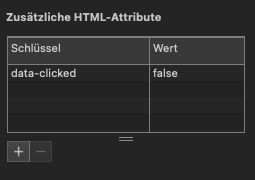
Give each element a HTML-Atrribute ‘data-clicked’ = ‘false’

When clicked, each of these elements starts a timeline corresponding to the color name (via teh function ‘mixMe’).
At the end of each of these timelines, the function switchScene is called, which defines the mixed color and transitions to the corresponding scene.

What exactly happens in these functions can be seen in the comments.

If a color combination is selected that is not intended, a message appears stating that this is not a valid selection, and the user can choose again from the beginning.

The function reset prepares the graphic for the next round.

I hope this helps you and that the explanation is clear enough for you to apply it to your original graphic.

colorMix_kt.hype.zip (85.3 KB)

2 Likes

Hi KTewes,

I input all of what you had put together, but its still not jumping to scenes after the color combination is clicked, can you look at it and see what I may have missed? Another issue is that at my college, the version of tumult isn’t the Pro, so I do not have some of the features you do like the added html attributes. Thank you soooooo muchfor trying to help me!!! Seriously appreciate it!!!

Hei Chloe,

  • ‘switchScene()‘ is not started on button click, but via timeline action at the end of each timeline.

  • No need to start the timelines with an extra button action. Just start mixMe() on buttonPress. The script takes the name of the timeline from the button’s class name. So - if you press ‘red’ - the timeline ‘red’ will be started.

  • This said, name the timelines ‘red’, ‘yellow’ …. and not ‘redTimeline’, ‘yellowTimeline’, since you named the buttons ‘red’, ‘yellow’ … and so on.

  • Place the timeline action to start ‘switchScene()’ at the end of each timeline

  • Implement ‘reset()’ - ‘switchScene()’ asks for it an tries to execute it. Since this gives an error, the next command - switch to the Mix-Color scene - will not be executed.

  • Better use the visible/invisible property instead of opacity (... -100%?) in the timelines.

Another issue is that at my college, the version of tumult isn’t the Pro, so I do not have some of the features you do like the added html attributes.

You can work around this by setting the HTML attribute via JavaScript:

if (typeof numClicks == 'undefined') {

numClicks = 0;
colorArr = [];

document.querySelectorAll('.colorElm').forEach(function(elm){
	
		elm.dataset.clicked = 'false';
});

}

  • I’ve re-added the function that starts a timeline displaying the message that the selection is not valid (e.g. purple/green). If you don’t want this behavior, simply change

    default:
    hypeDocument.startTimelineNamed('noValidSelection', hypeDocument.kDirectionForward);

to

default:
hypefunctions().reset(hypeDocument, element, event);

in switchScene();

Hope, this works for you:

1 Like

the link you gave wont allow me to open it. Also, how/where did you input the reset function screen? is it on click somewhere?

Thank you for all you have done to help me!!! :star:

Please, try again. Should work now…

https://drive.google.com/file/d/1xHCHHlI0gqT0Qvo2bFi1j96tBqgH4FgI/view?usp=sharing

1 Like

IT WORKS!!! KT you are my SHERO!!! :growing_heart: :growing_heart::growing_heart::growing_heart::growing_heart::growing_heart::growing_heart::growing_heart::growing_heart::growing_heart::growing_heart::growing_heart::growing_heart::growing_heart:

Thank You SOOOOOOOOOOO MUCH!!!

2 Likes

Glad I was able to help you! :grinning_face: