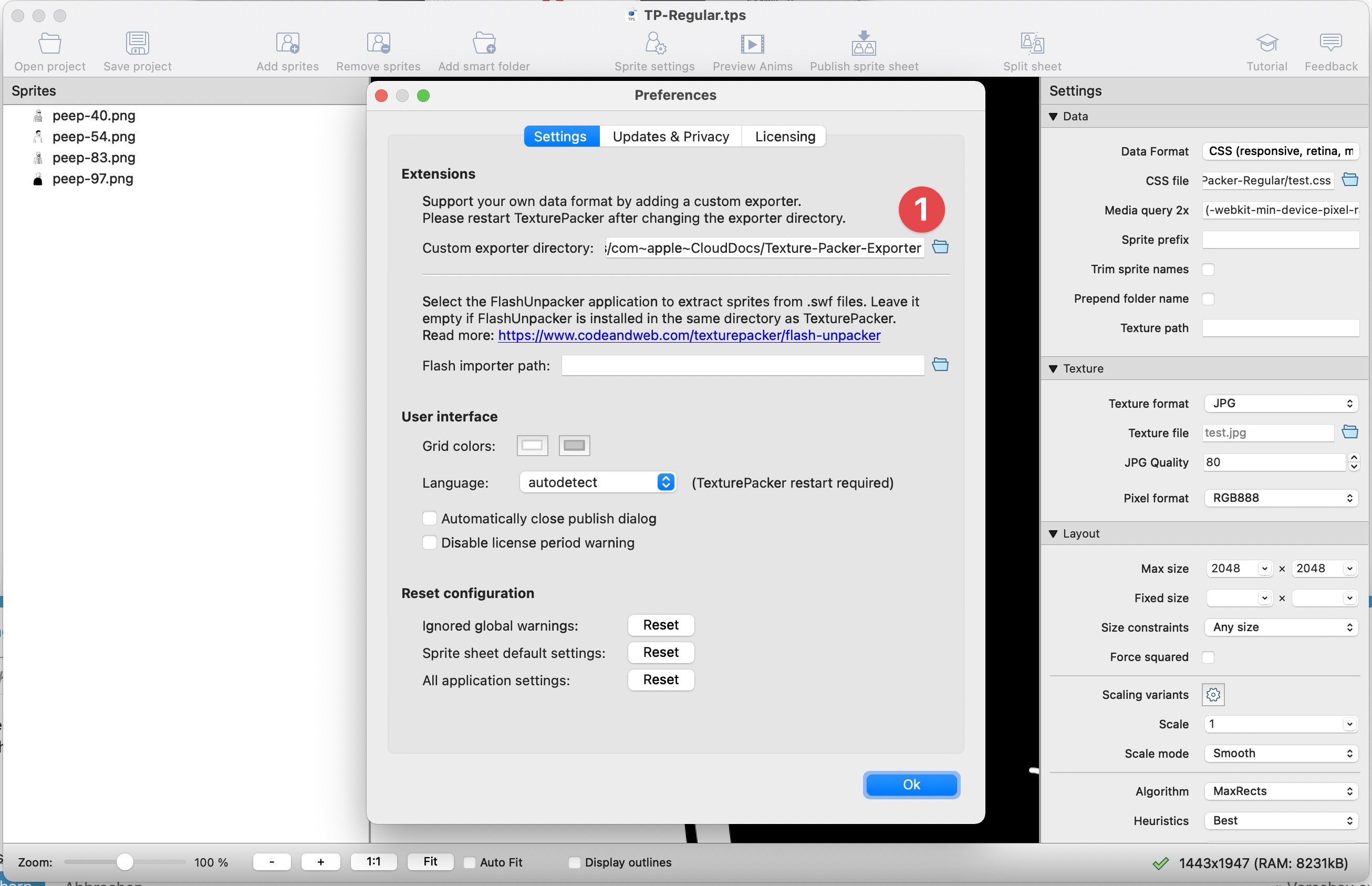
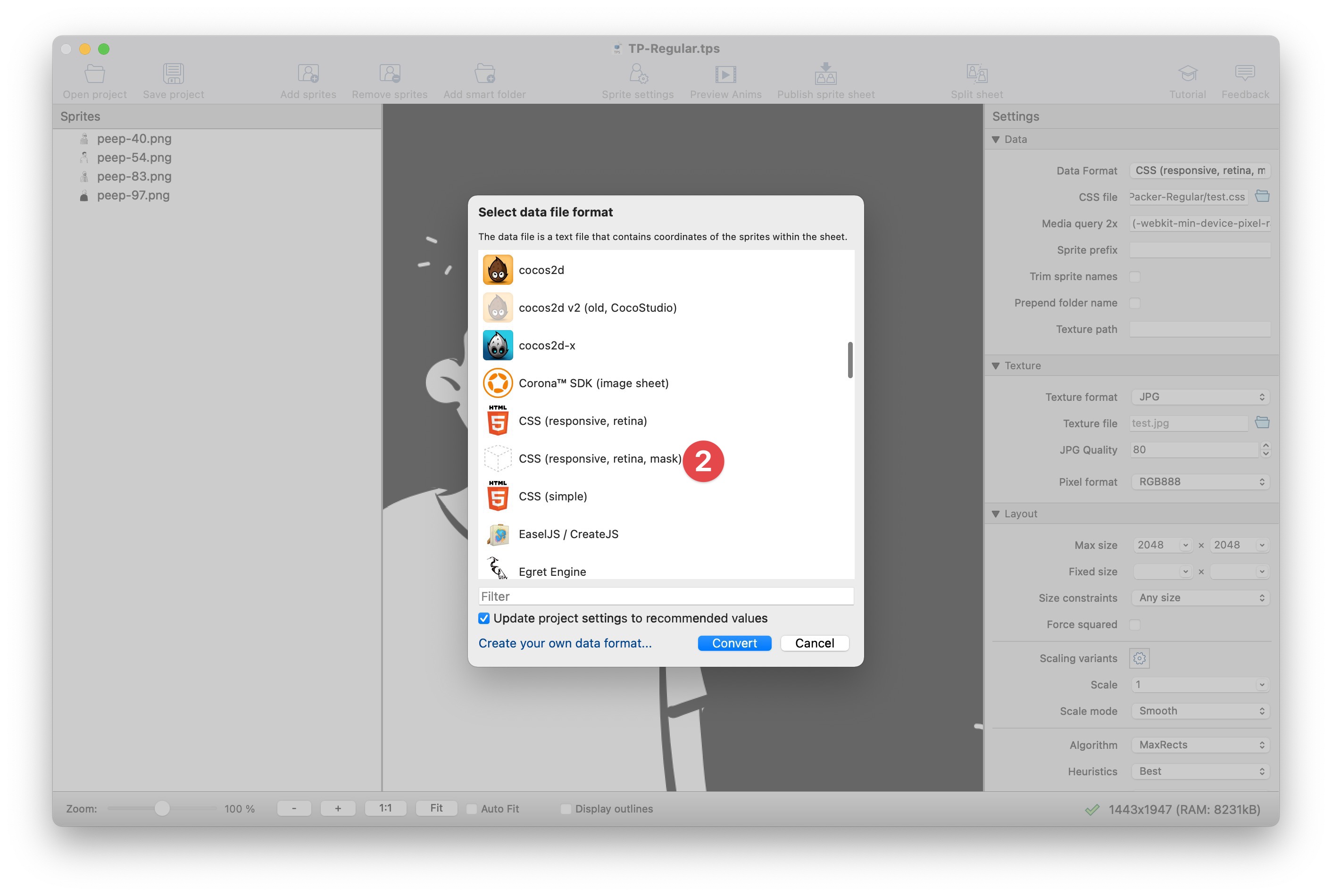
- Set the folder to your own additional extension's folder (for custom exporter)
- After that, you can choose the exporter from the list
-
This solution requires the Pro-Version and you can give it a try by enabling it as a trial (as seen in your screenshot). It's worth the money if you use it for commercial work (in my opinion also for fun).
-
As described in the tutorial above, the PNG that Texture-Packer produces can be big… is only used to extract an alpha mask and get the packed layout. The final usage step is to change the exporter to JPEG and re(export) and there you can set the quality. It's important because the CSS is also rewritten with the JPEG path.
You can also use the PNG to create your own JPG using Photoshop (after saving the Alpha-Mask from it). To sum up this approach we get all assets on one "sheet" and the positional data and CSS classes… it seems like some additional work, but the payoff is easy to update, responsive and the mask can be even reduced to 50% size and optimized using ImageAlpha (4-32 colors for example).